One campaign can run across Instagram, TikTok, YouTube, and a creator's newsletter, which means four sets of numbers sitting in four different places. Three of them are only visible to the creator. This post covers why cross-platform performance data is so hard to collect, the mistake almost every roll-up makes once it's finally collected, and what a single dashboard has to do to replace the folder of screenshots for good.
Why you're chasing screenshots in the first place
Ask why the screenshot exists at all and the honest answer is access. A platform's public API will hand anyone likes and comments on a public post. Reach, impressions, saves, watch time, and audience breakdown sit behind the creator's own login, and no amount of software changes that. Somebody who can get into the account has to hand those numbers over.
So creators screenshot. It's the fastest way to prove a number they can see and you can't, and that's how it became the industry default.
There's a knock-on effect worth naming. Any tool promising cross-platform tracking without a creator ever connecting an account is reading public engagement and calling it performance. You'll get likes and comments. You won't get reach, and reach is usually what the client is actually paying for.
Agency tip: Put the account connection in your onboarding email, alongside the contract and the brief. Asking for it in week three, after the content has already gone live, is how you end up back on screenshots.
Stop adding up numbers that aren't the same thing
Once the numbers do reach you, there's a second problem, and it's the one that quietly damages reports. A view on TikTok, a view on YouTube, an impression on Instagram, an open on a newsletter, a download on a podcast, and a pageview on a blog post are six different units. Drop them in one spreadsheet column, hit sum, and you've built a headline number nobody can defend in a room.
Plenty of reports still do it, usually because a client asked for "total reach" and the column was right there. Then somebody in the meeting asks how a podcast download became an impression, and the rest of the page loses its credibility along with that one row.
Report each channel in its own units and roll up only what's genuinely comparable. Engagement counts come closest to a shared unit, since a like or a comment means roughly the same thing wherever it happens. Blog time-on-page and podcast downloads don't belong in the same total as an Instagram view.
Blog content is where a lot of cross-platform tools quietly stop:
"There are a number of products that pull social media account information together, but none that could pull blogging metrics, which is key for us. We need to be able to see views, average time on page, and that people are actually engaging with the content." Stephie Predmore, Director of Influencer Marketing at Mediavine
Agency tip: At kickoff, ask the client which single number they get judged on internally. Lead with that one, in its native unit, and let everything else sit underneath it.
The numbers keep moving after you take the screenshot
A screenshot stays accurate for about as long as it takes to paste it into a slide. Instagram Stories are the extreme version, since the metrics are gone after 24 hours.
Everything else drifts the other direction. A YouTube video and a blog post keep collecting views for months after the report goes out, so the number you sent undersold the campaign and nobody's ever circled back to correct it. Your client filed a PDF that was out of date on the day it landed.
"I can send the client a link and say 'bookmark this link because you can check back in 60 or 90 days, or even a year, and see how that content is continuing to work for you.'" Stephie Predmore, Director of Influencer Marketing at Mediavine
A live link keeps updating, so the campaign carries on making your case long after the invoice clears. It's worth real money at renewal time and costs nothing extra to set up.
What "one dashboard" actually has to cover
Every reporting tool says it puts your platforms in one place. In practice, four things have to be true before that claim means anything.
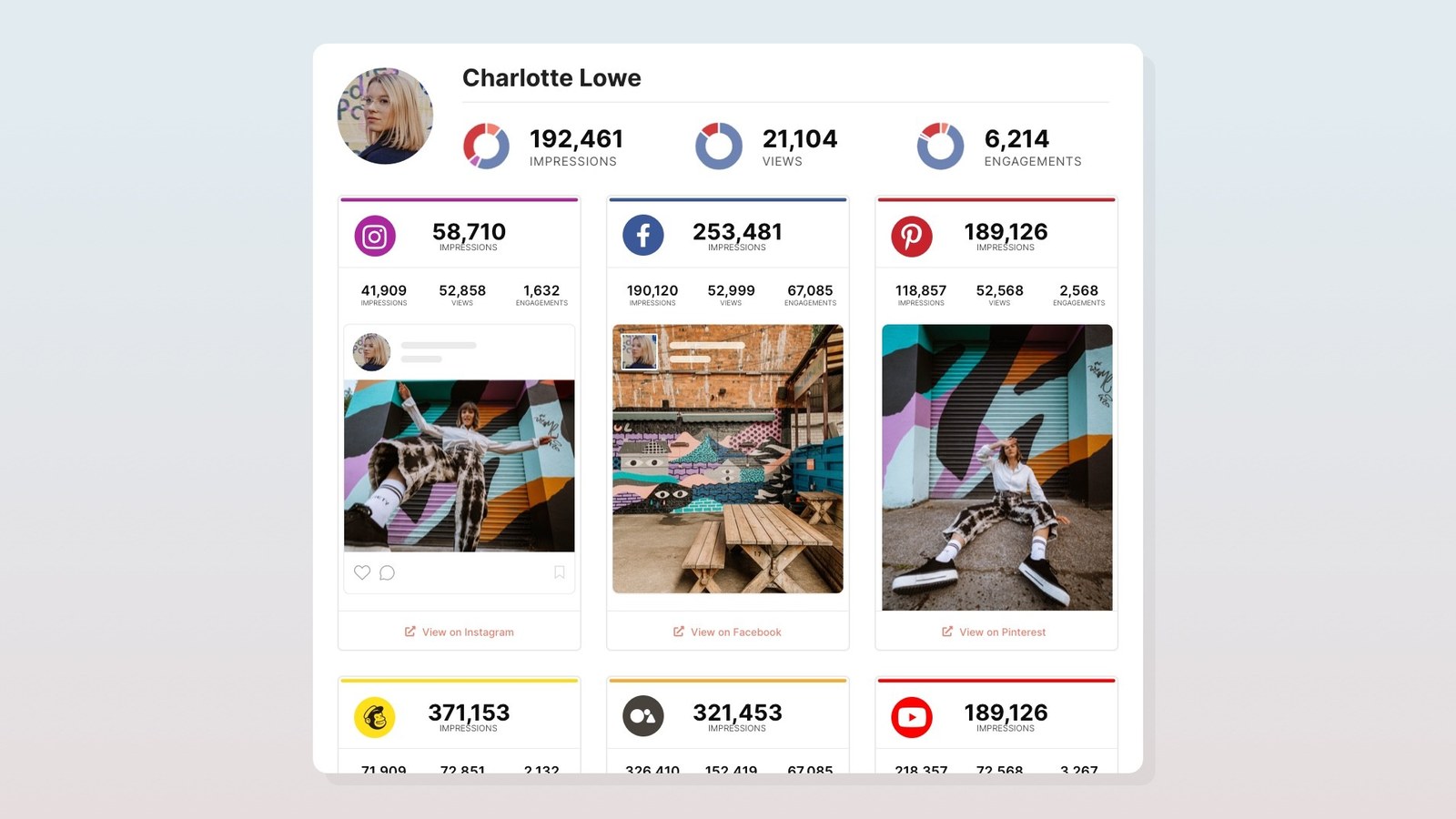
Numbers arrive through a platform connection. Once a creator connects their account, reach and impressions come straight from the platform's own reporting, and nobody's retyping a figure off a JPEG at 11pm.
Every channel the campaign actually used is covered. A creator program with a newsletter placement and a podcast read alongside the social content is normal now, and most reporting tools have nowhere to put either one. We went through what tracking those placements actually involves, platform by platform, in a separate post.
The report stays live between meetings. A client checking in opens the same link they got in week one and sees this week's numbers, so the mid-campaign status request stops landing on your desk.
Deliverables attach themselves. Set your campaign hashtags once and matching posts get pulled in automatically, so you're not manually hunting for content that published two weeks ago.
"InfluenceKit stands out as a remarkably effective tool for extracting social media metrics. It plays a crucial role in ensuring influencers remain transparent with their metrics." Makayla, Wagner
When the numbers come straight from the platform, the creator doesn't have to spend a Sunday assembling proof, and you're never reconciling two versions of the same figure. Everybody's looking at the same page.
A concrete next step
Open the last report you sent a client and count two things. How many of those numbers arrived as an image somebody typed in by hand, and how many of the channels the campaign really ran on made it onto the page.
Then fix the collection step before your next campaign starts, because every other part of the report inherits whatever happens there. A template can't rescue numbers you never managed to get.
See what a live cross-platform report looks like in InfluenceKit.