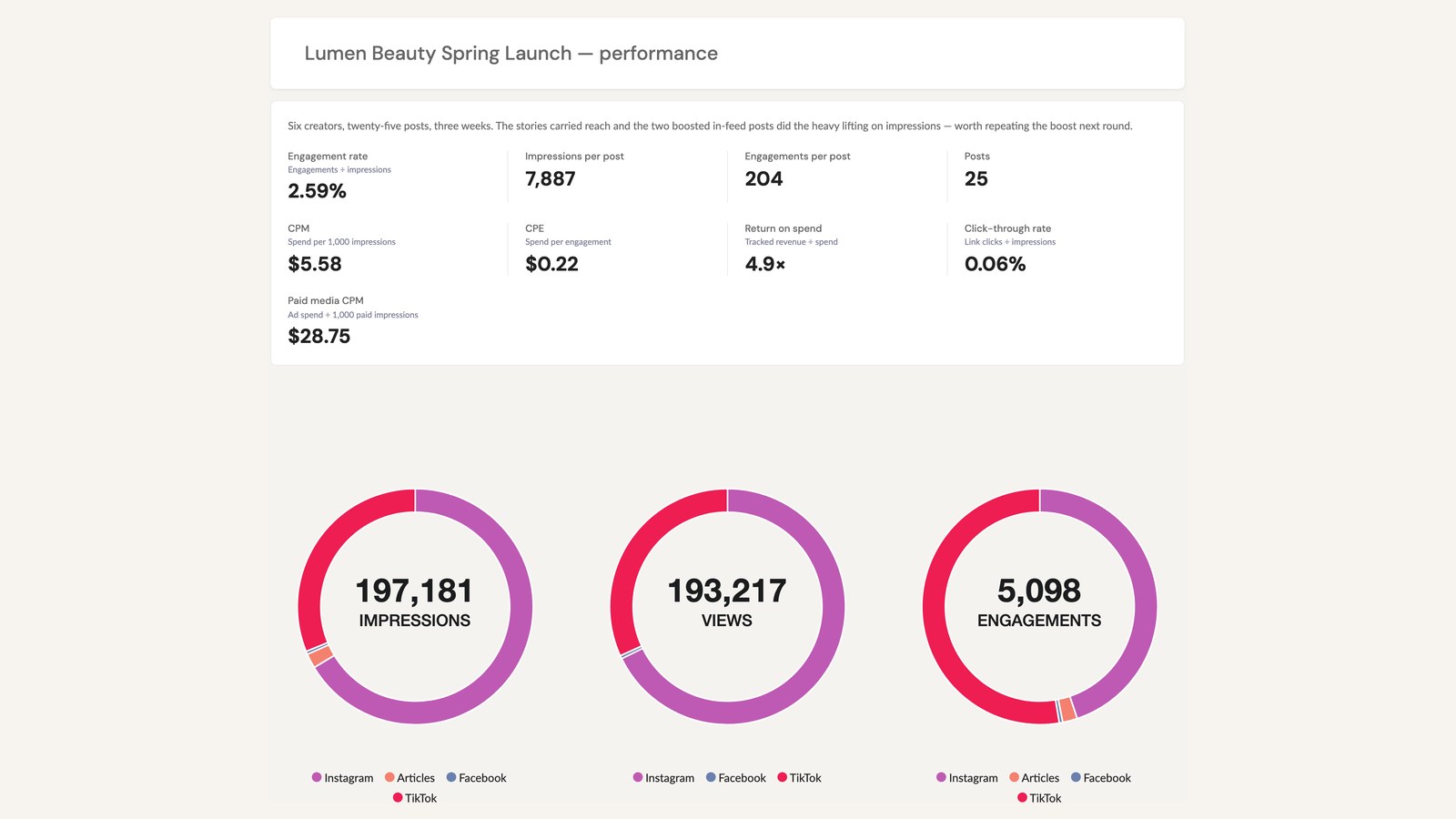
Most of the work on an influencer campaign happens somewhere the client never sees it. The creator vetting, the briefs, the three rounds of revisions, the polite email asking someone to please add the disclosure. The report is the part they do see. For a lot of clients, it's the only part.
So it's worth some attention. This post goes over five ways to make it better.
Put your own name on it
White-labeling means the report carries your agency's branding instead of the platform's. Your logo, your colors, your name on the file the client saves to their own drive.
This matters more than it sounds like it should. Every month, a client opens a document. If it has a software company's logo on it, they're being reminded that a software company is involved. If it has yours, they're just looking at your work.
InfluenceKit includes white-labeling on every plan, including the free Flex plan at $0 a month plus $99 per influencer you report on. There's no premium tier you have to climb to first.
Lead with one number
Most reports open with everything at once. Impressions, reach, engagement rate, clicks, saves, shares, all the same size, all fighting for attention.
But think about who's reading it. The person who decides whether to renew usually isn't the person on your weekly calls. It's their boss, and they've got about ninety seconds before the next meeting. Give them one number at the top that answers the question they actually came with, and put everything else underneath it.
Which number? Depends entirely on the client. A tourism board gets judged on something completely different than a DTC brand does. Ask at kickoff what number they'll have to defend, and then lead with that same one every single month.
Cover the whole campaign, not just Instagram
Plenty of campaigns now include a newsletter placement or a podcast read alongside the social content. If your report only covers Instagram and TikTok, your client is seeing part of what they paid for.
InfluenceKit pulls social, newsletter, podcast and blog results into the same report, and we went through what tracking each of those actually involves in a separate post. And if you're currently stitching separate exports together by hand? That's where your Thursday night goes, and it's where the mistakes get in.
Send a link instead of a PDF
A PDF starts going stale the second you export it. Build it on the 28th, the client opens it on the 30th, and anything that posted in between is just missing.
A live link updates on its own. The client can check it whenever they feel like it and the numbers are current. You also stop rebuilding the same document every month, which is not nothing.
"I can share this live campaign data with the brand team by copying the link and they don't need to have a log in to see the stats." Katelin Maldonado, Associate PR Manager, Rust-Oleum
If a client specifically asks for a PDF, export one. Just don't let it be the only version they've got.
Keep the format the same every month
Same section order. Same metrics in the same places. Same structure from one client to the next.
This is boring advice and it works. Nobody should have to hunt around for where the engagement rate went this month. If a client can find what they're looking for in a few seconds, they're a lot more likely to read the rest of it.
It saves you time, too. A standard skeleton turns the monthly build into filling in numbers instead of redesigning a document from scratch.
A quick test
Open the last report you sent a client. Read it the way their boss would - someone who wasn't on any of the calls and has a minute and a half.
Can you tell what happened? Can you tell whether it worked? Is your agency's name on it anywhere?
If any of those is a no, that's worth fixing before the next campaign starts. As Sandra Mccollum, CEO of Dash Brand Management, put it: "Live, link-shareable reporting changed how our clients perceive the value we deliver."
If you want reports that do that without the Thursday night assembly job, take a look at InfluenceKit.